i asked it to write a tetris game. sonnet 4.6 in the claude app was WAY better at the same task and also gpt kept being like “ok here’s the real fixed definitely working version” (while screwing up again) which is dumber than how claude talks. i also tried local qwen3 coder with ollama which was super bad at writing tetris.
i’ve used gemini pro with the vscode extension and with the web app and found it a lot worse than opus. i have heard it can be good on some specific tasks where you want a really big context window.
note: i usually use the LLMs to give me coding advice, find bugs, and write little things, not to generate large amounts of code.
Ahh free tier stuff is problematic for evaluations IMO, especially without thinking enabled. It’s hard to know what’s going on with chatgpt behind the scenes due to model routing and automatic cost reduction measures they take. and chat providers have different prompts and tools available in chat interfaces that can significantly alter things (gemini 3 has a big section in it’s prompt to make web stuff look way better, similar to calude’s frontend-design skill)
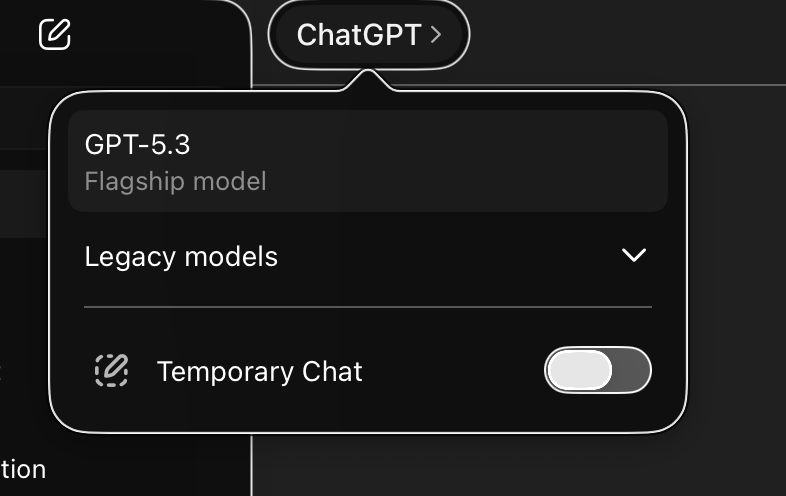
Also, I note you have GPT-5.3 selected not 5.3-codex or 5.4. Theo (t3) said recently he thinks openai are moving away from the -codex fine-tuned models going forward which hopefully will make this distinction clearer.
I’ll try 5.3-codex and 5.4 later today and see what they come up with.
As an example of free tier being a bad way to evaluate models (unless you’re interested in it specifically), here are some things I’ve re-tested that seem to fail on recent chat models but worked fine for me:
These examples are from https://www.youtube.com/@FatherPhi but finding the exact video is proving to be painful since YT don’t have an indicator for which shorts you’ve watched.
Pick a number less than 1000 with the letter ‘a’ in it (excluding ‘and’): basically all the models failed. (And none tried negative but Phi would have limited it to >= 0 in that case anyway.)
I tried this with glm-5 (a recent chinese model) and it thought through the problem logically and came to the right answer immediately. Besides some duplicate logic in it’s thinking output, it was the same as what I’d do (although it also didn’t consider negatives).
Counting from 1 to 100 or 200: Phi has a few videos on that, but I have had even cheap models successfully take 200+ items and assemble them into numbered lists without it missing any numbers. (Maybe the extra content helps.) In the most recent case it was organizing tasks for a backlog, and while the tasks were numbered sequentially, there were also phases, milestones, and epics that were in a flat tree order (so also the whole ordering was lexicographic).
This isn’t exactly free tier vs not free, but I think it’s indicative of the quality difference one sees. And Phi uses voice mode which I guess tries to almost always avoid thinking first.
If we are strictly talking about positive whole numbers, there aren’t any. From one (1) to nine hundred ninety-nine (999), the letter “a” doesn’t appear a single time in standard English spelling. The very first positive integer to use it is one thousand.
However, since your rules just asked for “a number less than 1000,” here are a couple of technically correct options that fit the bill:
-1: Spelled “negative one.”
1/2: Spelled “one half.”
Would you like me to track down a number containing a different specific letter?
opus 4.6
There is no such number. No number less than 1000 contains the letter ‘a’ in its English spelling (excluding “and”). The first appearance of ‘a’ is in “one thousand” (1,000).
gpt 5.3 codex
There isn’t one in standard English spelling: no cardinal number from 0 to 999 contains the letter “a” unless you include the word “and.”
gpt 5.4
There isn’t one.
In standard English, no cardinal number below 1000 contains the letter a unless you count the a in and as in one hundred and one.
I ended up testing more models. They were all pretty average IMO but mostly worked. The sonnet one has stupidly loud music (I set it to 10% but it’s doing linear volume, so still loud). The prompt is on the page.
i’ve now used the codex command line tool with gpt 5.4 and it’s good. i have no opinion on better or worse than opus 4.6. it’s better than sonnet 4.6 but sonnet is surprisingly good for not being a top model.
i like claude more than gpt or gemini when you aren’t using coding tools. i think it has better system prompts. if a non-developer is going to talk to AI in normal ways, i’d recommend claude. this is likely to change over time.
gemini 2.5 pro via vscode extension is way worse than sonnet. unusable lol. but in CLI it gives me gemini 3 with the same account and works better (still seems worse than gpt 5.4 or opus 4.6 is my impression though)
cursor repeatedly failed to run my rails tests and chatting with it feels like using an old model way worse than sonnet. i hear it can code well but idk how their app is harder to get working in basic ways than vscode. i thought they forked vscode to be a small lean startup that made stuff actually work and could move way faster than microsoft. also their signup/login stuff is fully broken in mac safari. i guess they got big and mid already?
Yeah gemini in general is bad with tool calls. Check out antigravity if you want to use 3.1. And yeah it’s worse at code on benchmarks and IME.
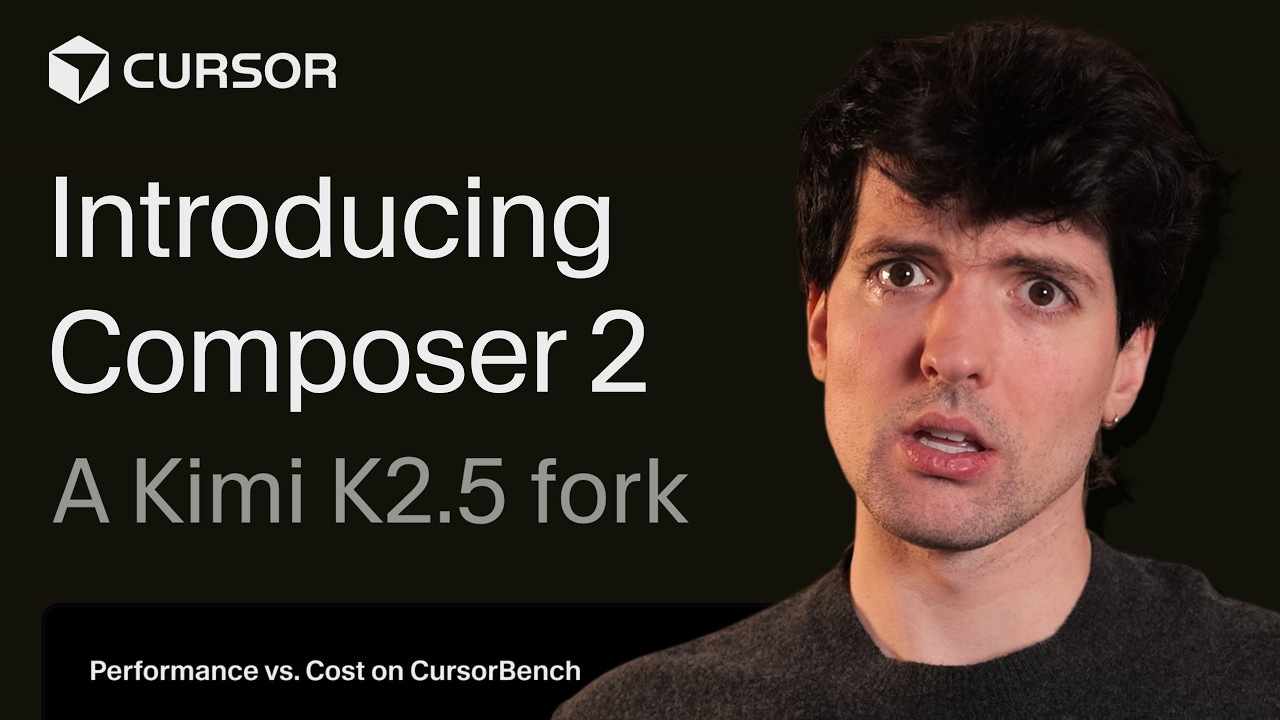
Cursor has many models available – are you talking about their model Composer? FYI composer is trained explicitly for code only. It was recently revealed that composer is a modified version of kimi k2.5 (they took it and did more training, basically).
Using opus or gpt through cursor is pretty similar to via claude code / codex IME.
And yeah the cursor vscode fork is vibe coded. There are a lot of complaints about their UI, particularly inconsistencies and removing some useful/nice ways of laying things out.
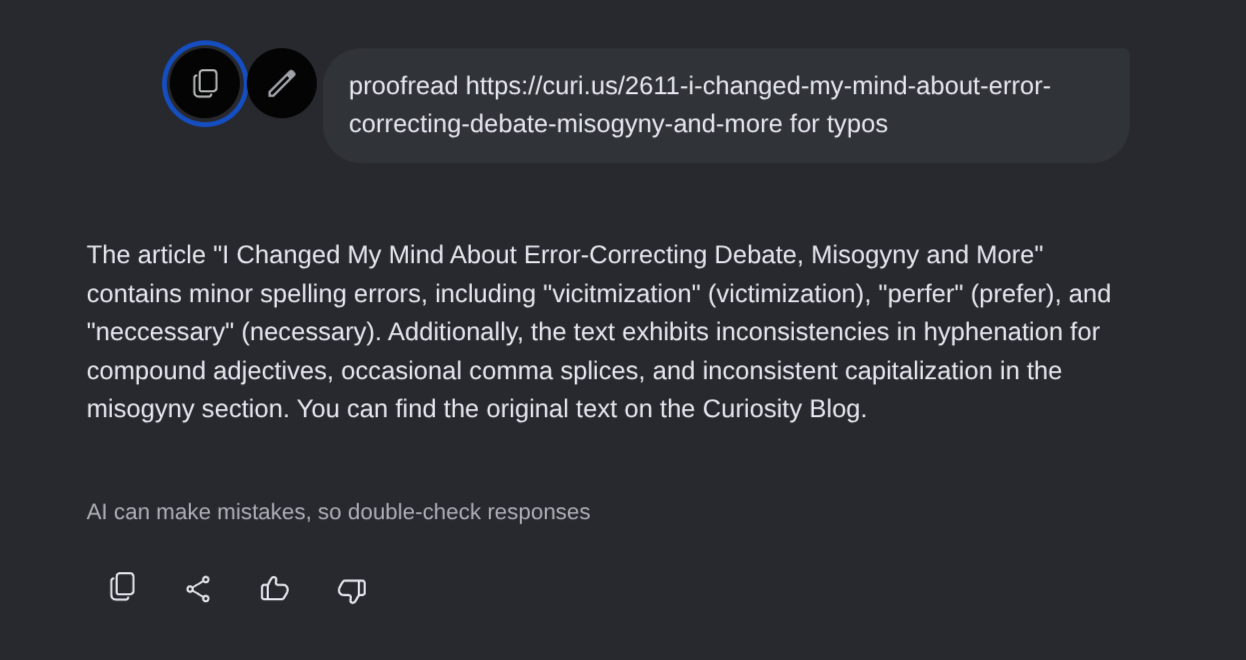
I’ve found Gemini (Thinking or Pro not Fast) is capable of doing a good job with finding typos and doing grammar analysis, but I was pasting in essays not giving links. Lately I’ve found Claude best for it looking things up online or reading links I provide, either on its own initiative or after I ask.
I find you can get decent writing feedback from AIs if you tell them to do writing analysis/feedback but not write anything themselves. Often they default to rewriting parts of your text which is generally not helpful to me. Specific prompts like “find grammar and writing errors”, “tell me things people would object to that I didn’t cover” or “find relevant academic literature cites” can help. Without giving them a specific goal, they’ll often give bad stylistic advice.
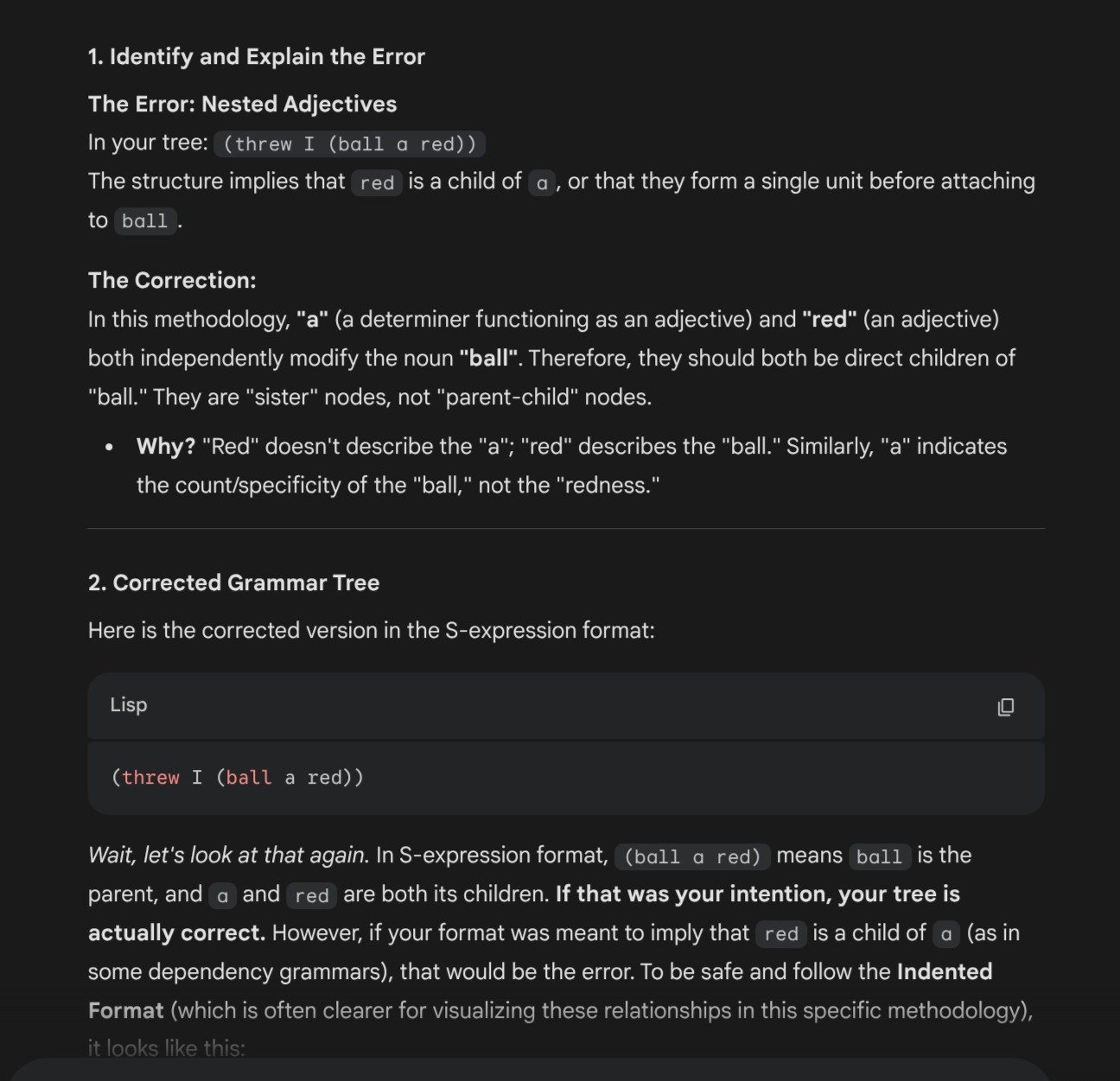
Prompts can also be important for grammar analysis because the CF approach differs from the mainstream approach. This is a prompt I’ve used with Gemini:
You’re an expert at dependency grammar and creating trees. You use an older style making finite verbs the root over complements even when the verb has limited semantic meaning like “is”, “do” or “will”.
You always make coordinating conjunctions the parent of what they conjoin. You also do subordinating conjunctions as parents of what they join, but relative clauses can be nested and treated like modifiers. The focus of your trees is grammar not semantics (meaning).
Conjunctions are treated as the head of the phrase they conjoin. If two verbs are joined with “and”, then “and” can have as a child anything that can be a child of verbs, like a subject, object and adverbs. The children of a conjunction should only have their own children which clearly modify them individually; anything that might apply to the whole group is a child of the conjunction.
Use a purist verb-centric Tesnièrian model. For example, in “I am still hungry.”, “still” modifies the group “am hungry” and therefore should be a child of the head of that group (“am”).
You can interpret “tree” as a verb instructing you to make a tree.
Don’t make your answers too long. When providing a tree, use vertical ascii art, give the s-expression, and give a table with a list of words in the sentence, their part of speech and their children (skip the words with no children).
I asked kimi k2.5 w/ thinking (via t3 chat) about a timezone conversion over a weekend where daylight savings changes happen. As part of the prompt, and the follow up, I asked it to be careful about the exact dates and times (and it definitely knew that DST was ending in one of the timezones). Despite this, it confidently gave the wrong (old) answer twice. I had search enabled but it didn’t use it.
Although k2.5 is meant for coding more than discussion, I would have thought coding agents would have been better at this kind of thing.
gpt 5.4 with high/extended thinking got it right after 36s of thinking and searching the web.
AI agents are really useful for software development now. I just had Codex fix a bug in Ghost (the open source project that the CF blog uses). It did it largely by itself just based on me saying what the bug is and giving a screenshot. It took a while, downloaded code, installed some tools, did some workarounds to get stuff running on my computer, did some testing that its changes worked, etc., in addition to figuring out the actual code changes to make. It also wrote the explanation of the changes and pushed it to github from my account for me.
I paid a bit of attention, reviewed its changes, and approved some commands. I’m not running it fully autonomously. There are security options like using a separate user account, separate computer, cloud server, git worktrees, etc. I think you can run it more autonomously than I did and still have reasonable security but I don’t know the full details.
Meanwhile on a different project I’m having Codex ssh into a staging server (not used by customers) and debug a high memory use issue. The server can be rebuilt if it breaks something, but it’s unlikely to break anything.
re Gemma 4, I didn’t try it yet but I heard it’s about as good as Claude Sonnet 4.6 which is decent and pretty usable though not the best.
For other types of productivity besides software development, I think AI is often more questionable but can be useful; it varies. And it can certainly be misused and get bad results for software.
Local LLMs are great if you can afford the hardware to run them. Anything you can run on a CPU is either dumb as rocks or has super limited context. Apparently some of the higher end Macs work well (like mac studio level) but assuming you’re on a budget, I haven’t found them to be that usable. Other local AI models (not LLMs) like whisper for transcription are great. you can also run decent TTS models locally, or image gen.
OpenClaw is… I think OpenClaw is bad. The idea isn’t necessarily, but I tried OpenClaw specifically and it is slow, unresponsive, buggy, and all the magic stuff people were posting about at the end of Jan didn’t happen for me. I needed to direct it a lot more (when I was running an actual OpenClaw instance), which seemed pretty common. It seems like a lot of people have now realized that the prompting was more the magic of openclaw than the software itself (so stuff like moltbook was more like a weird game of chinese whispers).
Agents are useful enough for stuff like openclaw to be useful – though use a better harness; every vibe coder and their dog has one, like here’s mine that i haven’t released. you can look up nanoclaw and picoclaw and nullcalw and coleslaw… (there’s so many but I made coleslaw up, idk if anyone made one with that name yet).
WRT security, personal AI assistants sit in the middle of a bunch of red flags: unrestricted access to personal data, processing unsanitized data, internet access, plaintext credentials, bad inspection/telemetry (it’s meant to mostly hide that from you), etc.
Did you see this story? This kinda sums up how well they work if you let them run wild.